
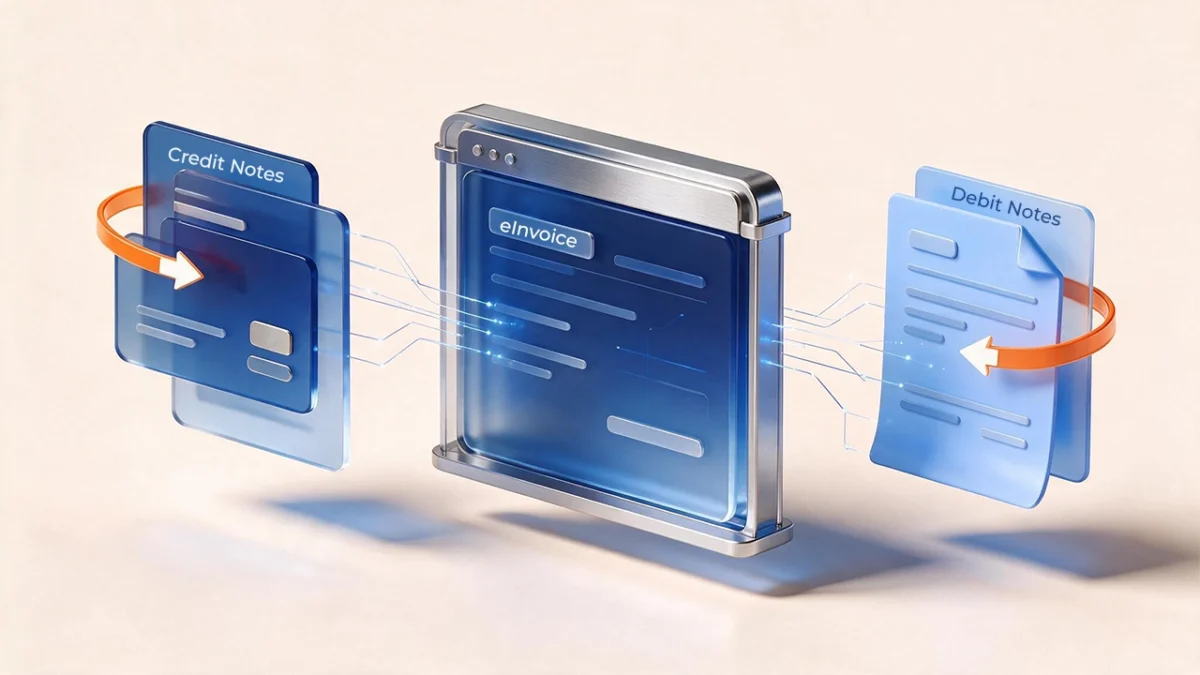
A returned shipment, a pricing error caught after the invoice went out, a negotiated discount applied retroactively every business runs into these, and under paper-based invoicing, fixing them was simple: issue a credit note, attach it to the file, move on. Under UAE eInvoicing, that same correction now has to pass through a structured document chain with its own rules, its own codes, and its own failure points. Get the linkage wrong, and the adjustment can be rejected outright, or worse, accepted but booked to the wrong VAT period with no easy way to unwind it.
This guide walks through exactly how credit notes and debit notes work under the UAE’s eInvoicing framework, the core rule that makes them different from a paper credit note, the fields that make an adjustment valid, and the process failures worth checking for before your business goes live.
Who Should Read This Guide:
This is written for Finance Managers, AR/AP teams, Tax Managers, and ERP Leaders who issue or process credit notes and debit notes as part of day-to-day operations returns processing, pricing corrections, rebate cycles, or cancellations and need to understand exactly how that workflow changes once it runs through UAE eInvoicing rather than a PDF or manual entry.
The Core eInvoicing Rule: No Negative Invoices, No Orphan Credit Notes
Two principles sit underneath everything else in this guide, and both are non-negotiable under the framework.
First, you cannot reverse an invoice by issuing a negative invoice.
Once an invoice has been transmitted and received through the Peppol network, it’s immutable; there’s no edit function and no “undo.” The only way to reverse, reduce, or correct it is a credit note (or a debit note, where the adjustment increases the value).
Second, every credit note and debit note must reference the original invoice it adjusts.
This is what preserves the audit trail the FTA relies on for near-real-time visibility. A standalone credit note with no origin invoice reference will not be accepted; there’s no “general adjustment” document type that stands on its own. If you need to correct something and the underlying supply is still valid, the pattern is: credit note to reverse the original, then a new, correctly valued e-invoice.
What Makes a Credit or Debit Note Valid: Type Codes and Reason Codes
The PINT-AE specification is specific about how an adjustment document identifies itself. Two fields carry most of the weight:
| Field | What it must carry |
| Invoice type code | 381 for a tax credit note; 81 for a credit note related to out-of-scope goods or services. Debit notes follow an equivalent type-code structure confirm the exact code with your ASP or the PINT-AE Data Dictionary, since public guidance to date has focused mainly on credit note codes. |
| Credit note reason code | Mandatory on every credit note a defined code identifying why it was issued (return, discount, pricing error, cancellation). |
| Preceding invoice reference | The original invoice’s unique reference, linking the note to the invoice it adjusts. |
There’s one defined exception to the linkage rule: for a volume-discount credit note, the reason code is set to the volume-discount value, and in that specific case the preceding invoice reference is not required. Outside that one exception, the link to the original invoice must be present.
One useful flexibility worth knowing:
A single electronic credit note can reference more than one prior invoice. For a distributor running a quarterly rebate across dozens of customer invoices, that means one structured credit note can potentially cover the whole cycle rather than one per invoice but confirm your ERP and ASP actually support that before you build a process around it, since not every setup handles multi-invoice referencing the same way.
How the Process Runs, Step by Step
- A triggering event occurs a return, a pricing correction, a cancellation, a negotiated rebate.
- Your accounting system generates the credit or debit note in PINT-AE XML format, carrying the correct type code, the mandatory reason code, and the preceding invoice reference.
- You transmit it to your ASP within the required timeframe for that type of adjustment. (Some industry guidance cites a 14-day window from the triggering event to confirm the exact requirement that applies to your business with your ASP or tax advisor, as implementation guidance continues to be refined.)
- Your ASP validates the document and routes it to the buyer’s ASP over the Peppol network, while simultaneously reporting the relevant tax data to the FTA.
- Both parties receive confirmation and update their VAT ledgers for the applicable return period.
The step that trips businesses up most often isn’t the transmission, it’s step 5. Credit note values adjust output VAT in the period they actually fall into, and because the FTA now has near-real-time visibility into the underlying data, a credit note booked to the wrong period creates a mismatch that’s far more visible than it would have been under periodic, PDF-based reporting.
Who Can Issue a Credit Note on Your Behalf
The framework does allow for delegated issuance in specific, defined scenarios:
- An authorised agent can issue and transmit a credit note on behalf of the principal.
- In agreed self-billing arrangements, the buyer may issue the credit note on behalf of the seller provided both parties are VAT-registered and meet the conditions set out in the VAT Executive Regulation.
If either arrangement applies to how your business operates common in distribution, franchise, or managed-procurement relationships, confirm it’s configured correctly before go-live. Self-billed documents specifically require the buyer to be onboarded to the eInvoicing system; without that, the arrangement simply won’t proceed.
What to Check Before Go-Live
Map your current credit/debit note workflow against the PINT-AE fields.
Many ERP systems don’t have a native field for the preceding invoice reference at the structured-data level; this is the single most common gap teams find once they actually map their process.
Confirm your ASP transmits adjustment documents, not just invoices.
Not every provider package includes credit and debit note transmission by default; it’s worth asking explicitly rather than assuming it’s bundled in.
Set reason codes and internal approval controls now.
Because there’s no “undo” once a document is transmitted, getting the reason code and the sign-off right before submission matters more than it did under manual processes.
Decide your transition protocol for pre-go-live invoices.
If an invoice was issued on paper before your go-live date but needs a credit note afterward, that’s a specific scenario worth confirming with your ASP or advisor in advance, rather than working it out under pressure when the first case actually comes up.
Reconcile credit notes against VAT periods as a standing process, not a one-off check.
Because the FTA’s visibility into your data is now near-real-time, period-matching errors surface faster than they used to which makes this an ongoing reconciliation discipline rather than something to check only at return-filing time.
Where This Connects to VAT Reconciliation and Where KGRN Fits as Your eInvoicing ASP
Getting the credit note chain structurally correct the right type code, the right reason code, the right invoice reference is what gets an adjustment accepted. But acceptance isn’t the same as your VAT position being accurate. A credit note that’s structurally valid can still land in the wrong return period, or leave your ERP and your eInvoicing platform showing two different pictures of output VAT for a given month. That gap is exactly where structural compliance and VAT reconciliation meet, and it’s a gap most eInvoicing guidance stops short of addressing.
This is the area KGRN’s engagement is built to cover end to end. As a Ministry of Finance pre-approved ASP, KGRN’s business readiness assessment reviews how your current credit and debit note workflow maps to the PINT-AE fields including the preceding invoice reference gap most ERPs don’t carry natively before integration begins. Beyond transmission, KGRN’s VAT reconciliation service checks credit and debit note values against the periods they’re actually booked into, so mismatches between your ERP and your transmitted documents get caught before they show up in a VAT return, not after.
If your team is still mapping how returns, discounts, or rebate cycles will flow through eInvoicing, KGRN’s complimentary eInvoicing readiness check is a reasonable place to get a straight answer on where your current process stands.
Frequently Asked Questions
- Can I issue a negative invoice to cancel a transaction under UAE eInvoicing?
No. Once an invoice is issued and received, it cannot be reversed with a negative invoice. The only valid route is a credit note, and where the supply itself remains valid but needs different values, a new corrected e-invoice follows it. - Does a credit note have to reference the original invoice?
Yes. Every credit note and debit note must carry the original invoice’s unique reference. A standalone credit note with no origin invoice will be rejected. The one exception is a volume-discount credit note, where the reason code itself covers the justification and the preceding invoice reference isn’t required. - What invoice type code is used for a credit note in the UAE?
Code 381 for a standard tax credit note, and code 81 for a credit note relating to out-of-scope goods or services. A reason code is also mandatory on every credit note regardless of which type code applies. - Can one credit note cover multiple invoices?
Yes a single electronic credit note can reference more than one prior invoice, which is useful for rebate or bulk-adjustment scenarios. Confirm this specific capability with your ERP and ASP before relying on it operationally, since support for multi-invoice referencing isn’t uniform across every setup. - Do credit and debit notes need to go through an ASP like regular invoices?
Yes. They follow the same PINT-AE structure, the same ASP transmission process, and the same FTA reporting requirement as any other e-invoice. It’s worth confirming directly with your provider that adjustment-document transmission is included in your package, since it isn’t automatically bundled with every ASP service.
Related posts:
 UAE eInvoicing Rejection Causes and How to Fix Common Errors
  UAE eInvoicing Phase 1: A Practitioner’s Perspective on Business Readiness
  UAE eInvoicing Guide 2026 – Everything Businesses, CFOs & ERP Teams Need to Know.
  The Role of Pre-Approved ASP in UAE eInvoicing
  UAE E-Invoicing: Regulatory Clarifications & Practical Compliance Insights