
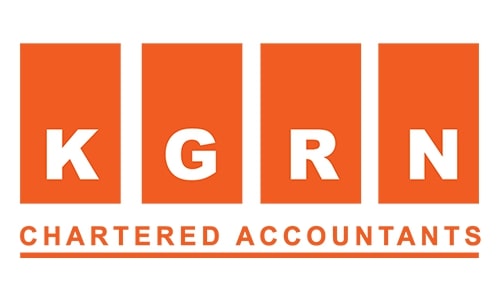

Finance teams should test whether invoices contain the right information, use the correct VAT treatment, reach the intended recipient and complete the required reporting process. They should also check credit notes, supplier invoices, error handling and accounting records before their eInvoicing go-live.
An invoice appearing in an accounting system’s “sent” folder does not show the full picture. Did the buyer receive the correct document? Was the required tax data reported successfully? Do the invoice amounts match the accounting records?
UAE eInvoicing testing should give finance teams clear answers to these questions before everyday billing depends on the new process.
Which businesses should prepare for January 2027?
The Ministry of Finance’s 27 September 2026 update confirms the following dates for entities subject to eInvoicing with annual revenue of AED 50 million or more.
| Milestone | Confirmed date |
|---|---|
| Appoint an Accredited Service Provider (ASP) | 30 October 2026 |
| Implement mandatory Phase 1 eInvoicing | 1 January 2027 |
The January deadline does not apply to every UAE business. Confirm your entity’s applicable implementation phase and the transactions covered by the current rules before setting your testing scope.
For broader preparation guidance, see KGRN’s UAE eInvoicing readiness checklist for January 2027. This article focuses on the practical checks finance teams should complete with their provider.
What does eInvoicing testing mean for finance teams?
Testing means checking that the new invoicing process works with your own business transactions and financial controls.
A demonstration using one simple invoice is a useful start. However, it does not show whether the process can handle a discount, a partial return, a foreign-currency invoice or a problem with customer information.
Use representative examples from your sales and purchase records. Agree the test arrangements with your ASP and keep test documents separate from live invoicing and reporting.
The following checks are recommended business controls. They are not a separate statutory testing checklist issued by the MoF.
Check the information on each invoice
Compare the information in your accounting system with the invoice processed through your provider. Review the invoice number, date, customer and supplier details, descriptions, quantities, prices, applicable tax information and totals.
Ask your ASP to confirm the information required for each transaction type. Some details depend on the circumstances of the supply, so a single template may not cover every situation.
Customer records deserve particular attention. Check that the invoice is addressed to the correct legal entity and that the provider has the information needed to deliver it to the intended recipient.
A small error in a customer record can become a recurring issue if it is carried into every invoice.
Confirm that your accounting system works with the provider
Finance teams do not need to examine technical file specifications to assess the business outcome. They do need to confirm that information passes accurately from the accounting system to the ASP.
The MoF’s published process allows businesses to send invoice data to their ASP in an agreed format, with the ASP converting it into the required standard format where necessary. A PDF or emailed invoice alone is not an eInvoice under the MoF’s definition.
During testing, compare the original transaction with the processed document and investigate any missing or changed information. If your business uses a customised system, see KGRN’s custom ERP eInvoicing guide for related preparation guidance.
Review VAT treatment and invoice amounts
A successful system check should not be used as the sole basis for approving VAT treatment. Your finance or tax team should confirm that the treatment reflects the actual supply and that the amounts are correct.
Set the expected result before running each test. For example, where 5% VAT applies to a net amount of AED 1,000, with no other adjustments, the expected VAT is AED 50 and the total is AED 1,050.
Include discounts, additional charges and different tax treatments where they occur in your business. For foreign-currency invoices, review the relevant conversion and tax amounts with the person responsible for tax.
The aim is to confirm that the invoice, the provider’s processed information and the accounting entry remain consistent.
Confirm receipt and reporting separately
The MoF’s eInvoicing process includes both invoice exchange and reporting of tax data to the Federal Tax Authority. Finance teams should understand how the provider confirms each outcome.
Ask the ASP to explain the status messages in plain language. Your team should be able to distinguish an invoice submitted to the provider from one successfully exchanged, and identify whether reporting is confirmed or still requires attention.
Receipt of an invoice also should not be treated as customer approval for payment. Keep your existing commercial approval and collection procedures in place.
Test everyday transactions and exceptions
Choose scenarios that reflect how your business operates. The following examples provide a practical starting point.

For supplier invoices, test your approval and matching procedures as well as receipt. Confirm what happens when an invoice arrives before its purchase order or when the amounts do not match the agreed purchase.
Make corrections and follow-up clear
When an invoice fails or its status is unclear, finance users should know who is responsible and what action to take.
Agree how the team will check the document’s status, correct inaccurate information and contact the provider. Follow the provider’s supported procedure before resending a document, particularly where the outcome of the first submission is uncertain.
Correcting invoice information, retrying a submission and issuing a credit note serve different purposes. The team should understand when each action is appropriate.
Also agree what to do if the service is interrupted. Identify who contacts the ASP, monitors outstanding documents and checks that transactions are processed without duplication when service resumes.
Check the accounting records
Compare a batch of test invoices and credit notes with the accounting records. Review both the number of documents and their values to identify missing entries, duplicate postings or unexplained differences.
Keep these checks focused on the transactions being tested. Successful eInvoicing reporting does not replace a review of the underlying accounts or VAT return.
Finally, ask a finance user to retrieve an invoice, its processing history and the related accounting entry. Records should be accessible to the people who need them, under appropriate access controls.
What should finance approve before go-live?
Record which transactions were tested, the expected outcomes, the actual results and any issues requiring further work. Finance, tax, IT and the ASP should confirm the areas they are responsible for.
As a recommended internal standard, resolve issues that prevent invoices from being exchanged, reported, received or recorded correctly. Assess any remaining issue against operational and compliance requirements, with a named owner and an agreed resolution plan.
Use October to confirm scope, provider arrangements and the test plan. Aim to test representative transactions in November and leave December for corrections, repeat testing and staff preparation. This is a suggested preparation schedule, not a statutory testing deadline.
Appointing a provider is an important milestone. Readiness also means your finance team can operate the process, identify problems and explain what happened to each invoice.
Prepare your eInvoicing workflow with KGRN
Will your invoicing process work with the transactions your business handles every day?
Explore KGRN’s UAE eInvoicing solution and contact KGRN to discuss your readiness and integration requirements. Share your accounting system details, invoice volumes and main transaction types so the discussion can focus on what your finance team needs to validate before January 2027.

Related posts:
 UAE eInvoicing Readiness Checklist: 10 Things to Fix Before 1 January 2027
 UAE eInvoicing for Construction Companies: 7 Systems to Fix Before the 2027 Deadline
 Credit Notes and Invoice Adjustments Under UAE eInvoicing
 The Role of Approved ASP in UAE eInvoicing
 UAE E-Invoicing: Regulatory Clarifications & Practical Compliance Insights